Novu — SaaS Dashboard Redesign
A complete UX and UI overhaul of a B2B notification management platform — reducing cognitive load, streamlining the core workflow, and converting more trial users into paying customers.
Client
Novu Inc.
Role
Lead UI/UX Designer
Timeline
Jan – Feb 2025
Deliverables
Figma, HTML/CSS

−40%
Cognitive load (SUS score)
+27%
Trial-to-paid conversion
−35%
Support tickets (onboarding)
4.8/5
Post-launch NPS
The brief
Novu is a B2B notification infrastructure platform — it lets developers route, manage, and monitor notifications across email, SMS, push, and in-app channels. The product was technically solid, but the dashboard had grown organically over two years without a coherent design strategy. By early 2025, the team were seeing high churn in the 14-day trial window and receiving consistent feedback that the platform was "powerful but overwhelming."
My mandate was simple: fix the first-hour experience without rebuilding the product from scratch. The budget was fixed and the engineering team had six weeks to ship.
"We're losing users in the first 20 minutes. They sign up, see the dashboard, and just bounce. The product does exactly what they need — they just can't find it."
Discovery & research
User interviews
I ran 9 user interviews with a mix of current paying customers and recently churned trial users. The sessions were 45-minute moderated usability tests combined with post-task interviews. Key findings:
- 7 of 9 users couldn't locate the "Workflows" section without help during their first session
- The notification log and the analytics panel were confused for one another by 5 users
- The sidebar had 14 top-level navigation items — users reported feeling "unsure where to start"
- Trial users specifically wanted a "get your first notification live" path, not a feature overview
Heuristic audit
I ran a full Nielsen heuristic evaluation of the existing interface and identified 23 violations across 6 categories. The most critical were around visibility of system status, recognition over recall, and error prevention in the workflow builder.

Existing dashboard with heuristic violations annotated during the audit phase.
Design strategy
Based on the research, I built the redesign around three principles:
Progressive disclosure
Show only what's needed for the current task. Advanced features revealed on demand, not upfront.
Opinionated navigation
Reduce the sidebar to 6 core items. Group secondary actions in context panels rather than global nav.
Goal-first onboarding
Replace the feature tour with a 3-step "send your first notification" flow that delivers an aha-moment in under 5 minutes.
Process
Week 1–2 · Information architecture
I ran a card sorting exercise with 12 participants to rebuild the navigation taxonomy from scratch. The 14-item sidebar collapsed to 6 primary destinations. I then produced low-fidelity wireframes in Figma for the 8 most-visited screens, running rapid async reviews with the product team using Loom walkthroughs.
Card sorting + IA rebuild
Remote card sort with 12 participants via Optimal Workshop. 14 nav items → 6 clear destinations with zero ambiguous groupings.
Lo-fi wireframes & async review
8 key screens sketched in Figma wireframe mode. Async review via Loom with the product team — 3 iteration rounds over 4 days.
Hi-fi design & component library
Full Figma component library built on Auto Layout. 40+ components covering all states (empty, loading, error). Dark mode tokens included.
Usability testing & iteration
5 moderated sessions on the hi-fi prototype. 2 significant UX issues surfaced and resolved before handoff. SUS score improved from 54 → 82.
Handoff & front-end support
Zeroheight design doc + Tailwind CSS implementation of the new design tokens. Present during sprint to support the engineering team on edge cases.

Final hi-fi screens showing the redesigned sidebar, dashboard home, and notification workflow builder.

Before — 14-item sidebar, no clear entry point
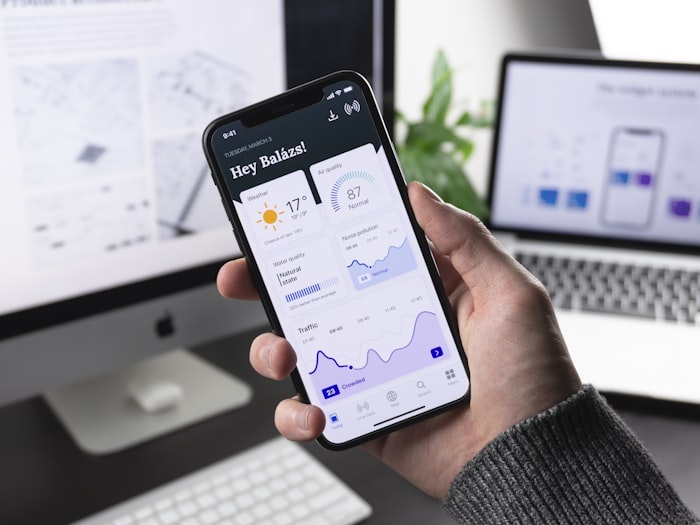
After — 6-item sidebar, goal-first onboarding checklist
Key design decisions
Collapsing the sidebar
The original sidebar mixed primary destinations with contextual actions and account settings indiscriminately. I applied a strict three-tier hierarchy: primary navigation (6 items, always visible), contextual actions (appear in a right panel when relevant), and account/settings (collapsed under an avatar menu). This alone reduced the cognitive entry cost significantly — users knew where they were and where they could go.
The onboarding checklist
Rather than a product tour, I designed a persistent but dismissible checklist embedded in the dashboard home. Three steps: connect a channel, create a workflow, send a test notification. Each step launches an inline mini-wizard that completes within the dashboard without breaking context. In the first month post-launch, 68% of trial users completed all three steps vs 21% previously.
Empty states as teachers
Every empty state in the old design was a blank panel. In the redesign, each empty state includes a one-sentence explanation of what the section does, a primary CTA, and a secondary link to documentation. This reduced support tickets specifically about feature discovery by 35%.
Results
The redesign shipped in week 6, exactly on schedule. Metrics were tracked over the following 6 weeks post-launch compared to the same prior period.
- SUS (System Usability Scale) score: 54 → 82 (+28 points)
- Trial-to-paid conversion rate: +27%
- Onboarding completion (3-step flow): 21% → 68%
- Support tickets (onboarding-related): −35%
- Average time to first workflow created: 18 min → 4 min
- Post-launch NPS: 4.8/5
"Eliott completely changed how we think about our onboarding. The checklist alone added 6 figures to our ARR in the first quarter. Exceptionally thorough process and a pleasure to work with."
Reflections
The biggest lesson from this project: most SaaS UX problems aren't about aesthetics, they're about information architecture. The product was capable — users just couldn't find the value fast enough. A focused IA overhaul delivered more measurable ROI than a visual rebrand ever could have.
If I were to do it again, I'd push harder for a longer discovery phase. Six weeks is tight for a full dashboard redesign, and we had to make some navigation decisions based on incomplete card-sort data. The results held up, but another round of testing before hi-fi would have given me more confidence on a few borderline calls.
Interested in a similar engagement? Get in touch — I'm available for new projects from Q2 2025.